Hospital software holds some of the most private information a person can share. I found authentication flaws and exposed data in the software trusted to manage that care.
The software is e-Sushrut, a Hospital Management Information System (HMIS) developed and deployed by C-DAC. It manages patient information, hospital workflows and administrative processes in healthcare organizations.
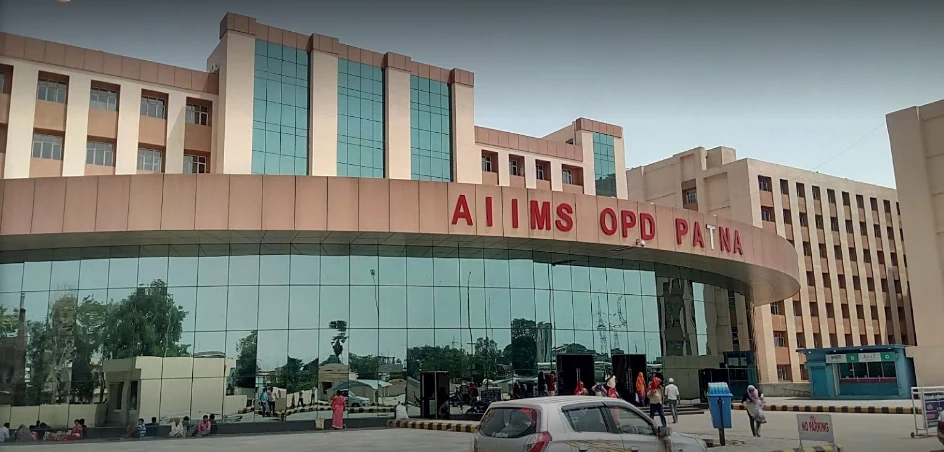
I tested the installations at Bokaro General Hospital and AIIMS Patna. I reproduced the dashboard access, exposed activity counts and password-hashing issue at both. The findings led to three CVEs.
Bokaro’s login page linked to its hospital dashboard. I opened it without signing in. The server returned the dashboard page and its report information.
I could see real patient activity data without logging in. It was already present in the public login HTML.
The password code used an odd-looking Java object string.
Captured hospital names, hostnames, identifiers, activity figures and token suffixes are redacted in the examples. The code and field order are preserved.
These captures are from September 1, 2026. I reported the issues to CERT-In, which later relayed the organization’s fix confirmation.
The assigned CVEs:
- CVE-2026-124643 (High · 8.7)
- CVE-2026-124644 (Medium · 6.9)
- CVE-2026-124645 (High · 8.7)
Patient privacy was the bigger concern
An HMIS handles patient information, registration, clinical workflows and administration.
A failure in its access controls threatens the boundary around confidential personal and medical information.
The dashboard flaw let me reach report information without signing in. The login page also disclosed hospital activity.
The password-hashing design allowed offline guessing if an attacker first captured a submitted hash, username and token.
An unchecked patient-report action could expose sensitive patient information. A compromised staff account could expose the records it was allowed to read.
Those are potential paths to patient-data exposure. The evidence here establishes dashboard access and operational-data disclosure; it does not establish that I retrieved individual patient records.
I could open the dashboard without signing in
CVE-2026-124643 · High · CVSS 4.0: 8.7
improper authentication
Bokaro’s login page used the /AHIMSG5/hissso/ path. I checked its forms, JavaScript files and links. One link pointed to the dashboard:
<a href="/HISUtilities/dashboard/dashBoardACTION.cnt?groupId=NQ==&dashboardFor=SE1JUw==&hospitalCode=REDACTED&seatId=REDACTED&isGlobal=1&isPreview=0">…</a>& spelling comes from the HTML.The page gave me the full address and its URL parameters. I used that address in a separate request. I sent no username, password or saved login cookie.
GET /HISUtilities/dashboard/dashBoardACTION.cnt?groupId=NQ==&dashboardFor=SE1JUw==&hospitalCode=REDACTED&seatId=REDACTED&isGlobal=1&isPreview=0 HTTP/1.1
Host: [REDACTED]- Send
- No credentialsThe request has no username, password or saved login cookie.
- Select
- A hospital dashboardURL parameters choose the page; they do not authenticate the visitor.
- Observe
- Report metadata returnedThe saved response contained the dashboard and its report information.
What the URL parameters meant
Two values used Base64, a text encoding anyone can decode. NQ== means 5. SE1JUw== means HMIS. The dashboard HTML included both decoded values in hidden form fields.
| Parameter | Value | What the response showed |
|---|---|---|
groupId | NQ== → 5 | The HTML included name="groupId" value="5". |
dashboardFor | SE1JUw== → HMIS | The HTML set dashboardFor to HMIS. |
hospitalCode | REDACTED | The same hospital code appeared in the activity counts. |
seatId | REDACTED | A value sent in the URL and copied into the HTML. |
isGlobal, isPreview | 1, 0 | Page options copied into the HTML. |
These values chose the dashboard. They did not prove who was asking. Anyone could copy a seatId into a URL.
The server needed to check the caller’s login and access rights before returning the page.
What came back
HTTP/1.1 200 OK
content-type: text/html;charset=ISO-8859-1
server: Abhijaiya

<title>DASHBOARD</title>
<input type='hidden' name='rptDisplayName' id='RPTDISPLAYNAME_REDACTED' value=' OPD Count' />
<input type="hidden" name="linkTab" id='linkTab_REDACTED' value='OPD Count' />The response body contained the dashboard title, report names and report IDs. The reports covered outpatient visits, emergencies, prescriptions and lab work.
An ID such as RPTDISPLAYNAME_REDACTED linked a report name to a specific part of the dashboard.
I repeated the request without a saved login. The server again returned HTTP 200 and a 274,427-byte page.
A request with Cookie: none gave the same result. The response set a new TID cookie, but I had not signed in.
Checking where the report data came from
The page loaded /HISUtilities/dashboard/js/dashboard.js. I read it to find how the reports got their data.
Each widget key had three parts: dashboard ID, section ID and report ID. The code used them to request data from the same server address:
var key = getKeyValue(id);
var arrId = key.split("_");
var data = preparejsonForAjax(key, mode, pageNo, blockNo, loadFromDatabase);
data.isAjaxRequest = "2";
data = initSecurityParameterFromajaxjson(data);
$.getJSON('/HISUtilities/dashboard/dashBoardACTION.cnt', data, showWidgetData);- Identify
- Split the widget key
key.split("_")separates the dashboard, section and report IDs. - Prepare
- Build the queryThe helper packs those IDs and request options into
data. - Request
- Call the controller
$.getJSON()asks for widget data. This code alone does not prove the request succeeded.
callDataForSpecificWidget(). The three parts of the key become dashboardId, sectionId and rptId. Code that only changed the page’s appearance is left out.A visitor could get the dashboard page and its report information without signing in. CERT-In recorded this as weak authentication and session checks.
The fix needs to cover the page and every action it calls. The server should check the user’s login, hospital and role.
That identity should come from the login session. An ID supplied in the URL is not proof of identity.
The login page included hospital activity counts
CVE-2026-124644 · Medium · CVSS 4.0: 6.9
sensitive information disclosure
The login HTML also had a JavaScript object named _GET_MAIN_LOGIN. Its HOSPITALS field held the hospital name and a long string of numbers:
const _GET_MAIN_LOGIN = {
    // Other fields omitted.
    HOSPITALS : "[[Hospital redacted, HOSPITAL_CODE#REDACTED#REDACTED#REDACTED#REDACTED#REDACTED#REDACTED#REDACTED#REDACTED#REDACTED#REDACTED#REDACTED#REDACTED#REDACTED#REDACTED]]"
};
The hospital name came first, followed by numbers separated by #. I checked the JavaScript that read the string to find out what each number meant.
The JavaScript explained the numbers
In sso_main_login.js, convertJavaArrayListToJSArray() removed the outer [[ and ]]. It split entries at ], [.
For the selected hospital, changeHospitalSelected() split the numbers at each # and copied them into named page fields:
// convertJavaArrayListToJSArray(a)
a = a.substring(2, a.length - 2).split("], [");

// changeHospitalSelected(a): selected assignments
b = a.split("#");
document.getElementById('OPDToday').innerHTML = b[1];
document.getElementById('IPDToday').innerHTML = b[3];
document.getElementById('LabTestToday').innerHTML = b[4];
document.getElementById('OPDTotal').innerHTML = b[8];
document.getElementById('IPDTotal').innerHTML = b[10];
document.getElementById('LabTestTotal').innerHTML = b[11];- Unpack
- Remove the wrapper
substring()strips the outer brackets from the server value. - Decode
- Split on #
b[1]is today’s OPD count;b[8]is the OPD total. - Display
- Write into the page
innerHTMLplaces each value beside its label. The data arrived before any login.
sso_main_login.js. You can read the captured mapping function. Comments were added; other assignments are left out.The field names supplied the labels. Position 0 was the hospital code. Positions 1–7 were the “Today” counts; positions 8–14 were the matching “Total” counts.
OPD means outpatient visits. IPD refers to inpatient care. Rx means prescriptions.
| Client metric | Today | Total |
|---|---|---|
| OPD | Redacted | Redacted |
| Emergency | Redacted | Redacted |
| IPD | Redacted | Redacted |
| Lab tests | Redacted | Redacted |
| ABHA | Redacted | Redacted |
| Prescriptions (Rx) | Redacted | Redacted |
| Pharmacy | Redacted | Redacted |
This short Python example reads the same format with the captured values redacted. You can run it locally:
raw = "[[Hospital redacted, HOSPITAL_CODE#REDACTED#REDACTED#REDACTED#REDACTED#REDACTED#REDACTED#REDACTED#REDACTED#REDACTED#REDACTED#REDACTED#REDACTED#REDACTED#REDACTED]]"
record = raw[2:-2]
name, packed = record.rsplit(",", 1)
fields = packed.strip().split("#")
assert len(fields) == 15

print(name)       # Hospital redacted
print(fields[0])  # HOSPITAL_CODE
print(fields[1])  # REDACTED: OPDToday
print(fields[8]) # REDACTED: OPDTotalWhat this exposed
I didn’t need the dashboard for this finding. The data was already in the public login HTML. No form submission was needed.
I could see real patient activity data without logging in.
The no-store header tells browsers and caches not to save a response. It does not stop a visitor from reading it.
Hiding the statistics on screen would not fix this. The server needs to keep internal counts out of public login HTML and require authentication before sending them.
The password code used a Java object string
CVE-2026-124645 · High · CVSS 4.0: 8.7
static/predictable value in client-side password hashing
The same JavaScript object had a field named SESSION_TOKEN. I searched for where it was used. Bokaro’s login HTML set the value in two places:
const sessionToken = "[B@REDACTED";
const _GET_MAIN_LOGIN = {
    // Other fields omitted.
    SESSION_TOKEN : "[B@REDACTED"
};sessionToken and SESSION_TOKEN. Other object fields are left out.const sessionToken =
[B@REDACTED
- An array
- Marks an array in Java.
- Of bytes
Bis the byte type code.- An object hash
- The number Java prints after @. It is separate from the password hash.
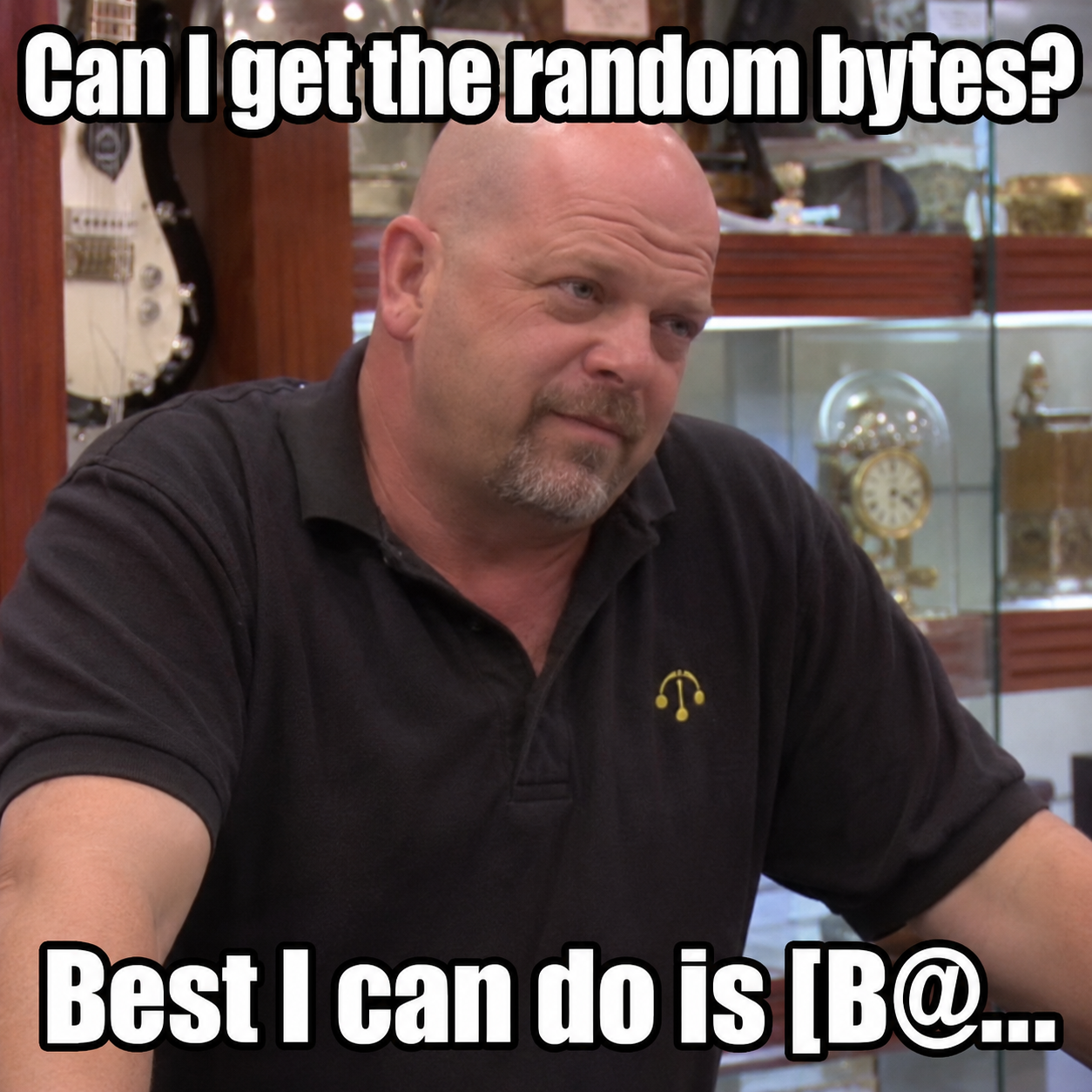
The [B@ prefix comes from Java. Object.toString() prints this kind of string for a byte array.
[B means “byte array.” After @ comes the object’s hash code in hex. It does not print the bytes inside the array.
The likely mistake was converting the byte-array object to text instead of encoding the random bytes inside it.
The page received the object’s label as its login token. The token did not contain the array’s contents.
How the value reached the password hash
A hash turns some input into a fixed-length result. The same input gives the same result.
The page loaded ssoLogin.js. Its login routine called validate(), which called securePassword().
That function hashed the password and username, then hashed the result with sessionToken. The final hash replaced the password field. The code also set window.name = sessionToken.
Bokaro’s active function used SHA-512. An older SHA-1 version was still in the file, inside a comment. The active function was:
var objPassHash = new jsSHA('SHA-512', 'TEXT', 1);
objPassHash.update(
    document.getElementsByName("varPassword")[0].value +
    document.getElementsByName("varUserName")[0].value
);
hashValue = objPassHash.getHash("HEX");

var objPassHash1 = new jsSHA('SHA-512', 'TEXT', 1);
objPassHash1.update(hashValue + sessionToken);
hashValue = objPassHash1.getHash("HEX");

document.getElementsByName("varPassword")[0].value = hashValue;- First hash
- Password + usernameSHA-512 turns the joined credentials into hex text.
- Second hash
- Hex text + tokenAnother SHA-512 pass mixes in the server-supplied object string.
- Submit
- Replace the passwordThe final hex hash overwrites the password field before form submission.
Patna used the same steps, with SHA-1
I checked the e-Sushrut installation at AIIMS Patna. Its HTML set var sessionToken = "[B@REDACTED" in two places. Its securePassword() function used SHA-1:
var objPassHash = new jsSHA(
    document.getElementsByName("varPassword")[0].value +
    document.getElementsByName("varUserName")[0].value,
    "ASCII"
);
hashValue = objPassHash.getHash("SHA-1", "HEX");
objPassHash = new jsSHA(hashValue + sessionToken, "ASCII");
hashValue = objPassHash.getHash("SHA-1", "HEX");
document.getElementsByName("varPassword")[0].value = hashValue;Bokaro General Hospital
SAIL · original login HTML
[B@REDACTED
AIIMS Patna
Original login HTML
[B@REDACTED
Both sites followed these steps:
p = password
u = username
t = sessionToken
H = SHA-512 at Bokaro; SHA-1 at Patna

inner     = hex(H(p || u))
submitted = hex(H(inner || t))- Inputs
- p, u and tPassword, username and the token from the login page.
- Transform
- Two fast hash roundsThe second round hashes the first round’s hex text joined to the token.
- Consequence
- Guesses can stay offlineAfter capturing a submitted hash and its username and token, an attacker can compare password guesses locally.
|| means “join these strings.” The second round uses the first hash as hex text.The first hash becomes hex text: 128 characters for SHA-512 or 40 for SHA-1. The second hash takes that text followed by the token.
If the password, username and token stay the same, the result stays the same too.
Why the object string mattered
The browser hashed the Java object label. Generating random bytes would not help if the page received the label instead of those bytes.
The challenge should carry the actual bytes in an encoding such as Base64. Its security also depends on how the server creates and checks it.
A login token can be public
A server can send a fresh random value with each login attempt. This is called a nonce or challenge, and the browser can read it.
The server must remember which attempt it belongs to and check it when the form comes back.
Try both algorithms below. Keep the token the same or change it for each attempt to see what happens to the hash.
Try the same login twice
Username demo_user · password papercrane
This runs in your browser with made-up credentials and tokens. It does not contact the hospitals. It shows how each input changes the submitted hash.
What an attacker would need
Suppose an attacker captures a user’s submitted hash, username and token.
They can guess a password locally, run the same two hash steps and compare the result with the captured hash.
They do not need to send each guess to the hospital. This is offline password guessing.
A fresh token does not stop those guesses once the attacker has captured it too. It changes the submitted hash, but does not make each guess slow.
Both SHA-1 and SHA-512 are fast in this two-round setup.
The server should issue a fresh challenge, tie it to a login attempt, and check its expiry and reuse rules.
Stored passwords need a dedicated password-hashing function that makes guesses slow. Adding another fast hash in the browser does not replace these steps.
AIIMS Patna had the same three issues
I reproduced the dashboard access, exposed activity counts and password-hashing issue at AIIMS Patna as well as Bokaro.
The request and counter-mapping examples use saved Bokaro responses. The password-code excerpts show both installations.

Reporting the issues
I sent the findings and steps to reproduce them to CERT-In on September 1. On September 18, CERT-In passed on this fix confirmation:
“the concerned organization has confirmed that, the reported vulnerabilities are fixed.”
CERT-In correspondence · September 18, 2026
- I sent the reports and steps to reproduce the issues to CERT-In.
- CERT-In passed on the fix confirmation and acknowledged my report.
- I followed up on the CVE requests.
- CERT-In published the vulnerability note and three CVE records.

Severity ratings are CERT-In’s CVSS 4.0 base scores, published in the linked CVE records.
More research: Hacking GISEC Before Speaking at GISEC · JEE Advanced’s exposed cloud storage